
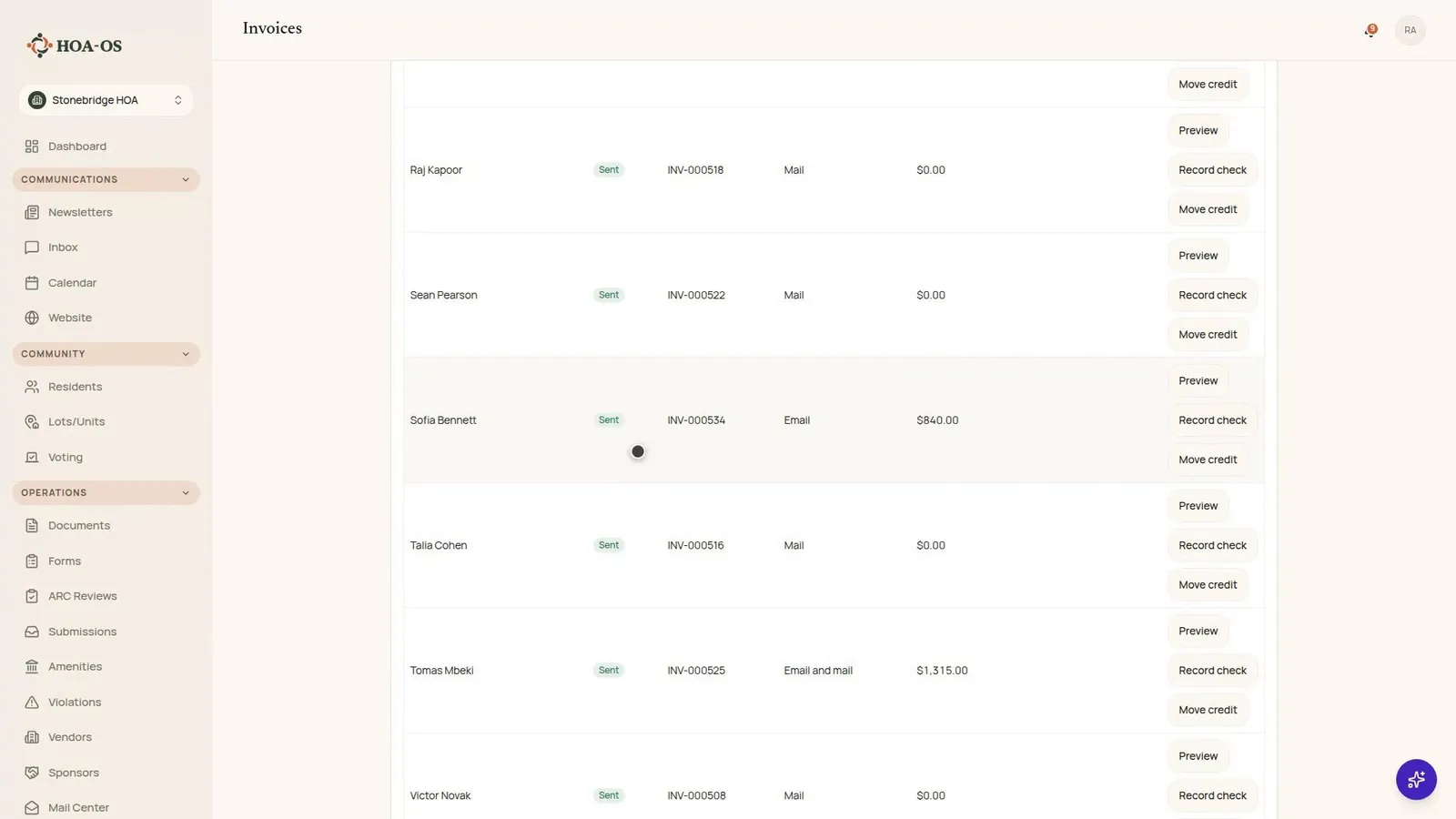

Sending is the one step in owner invoicing a board can't take back. Before it presses anything, a board wants to see what's about to go, and afterward, what happened to each owner's invoice.
In HOA-OS the board confirms a send in a box that gives the count and says sending can't be undone. Afterward each sent invoice carries its own number, and its row shows what happened to it.
What the video covers
- The confirm box, its count, and held invoices left out of it
- Typing SEND to go ahead
- The run reading Sent
- An invoice number on each sent invoice
- The Status column, and what Sent on a row means
- Needs a look on the sent run
- Fixing a held invoice's contact details
- Sending the held invoice from its row
The full walkthrough, in words
The run in the video is a draft that's ready to go, and nothing has gone out yet. Pressing Send invoices opens a box first.
The box says how many invoices are about to go to members, and that sending can't be undone. The count is only what will go. This run has a held invoice, and the count leaves it out.
The board types SEND in the box, then presses Send invoices. A message confirms it: The invoice run is being sent. The run now reads Sent.
That badge is for the run as a whole. A run gets it when each of its invoices has been sent, dropped or held. The rows show each owner's invoice.
In the rows, the Invoice no. column now carries a number on each sent invoice. An invoice gets its number at the moment it's sent. The held invoice's Invoice no. still reads Assigned when sent. It gets a number only when the board sends it separately.
The Status column shows what happened to each owner's invoice. Right after a send, a row can show Delivery not confirmed while its letter is still being handed off. The paper rows read Sent: their letters have been handed off for mailing. The row for the owner who gets both an email and a letter reads Sent too.
Sent on a row means the invoice was handed off, not that the owner has it. If an email or a letter doesn't go through, the row says which.
On the sent run, Needs a look counts what still needs the board. Here, that's the held invoice, which wasn't sent with the run. When nothing went through for an invoice, Needs a look counts that one too, so the board can contact that owner another way.
The held invoice's owner had no email or mailing address. The board adds an email on the owner's member record. Back on the row, the board picks Fix contact details, and a box asks to refresh the invoice's contact details. It says nothing is sent, and the invoice stays held until the board sends it. The board presses Refresh contact details.
The row now says the contact is fixed and the invoice is ready to send, and it has a Send button. Its delivery reads Email. Now that the run has been sent, the Send button sends this one invoice. The row then reads Sent, with its own invoice number.
Filmed in the product on a demo community. The owners and amounts were made up for the video.
Questions boards ask about this
Can a board undo a send?
No. The confirm box says sending can't be undone, and it says so before anything goes.
Are held invoices sent with the run?
No. The confirm box's count leaves them out. A held invoice stays held, with no invoice number, until the board sends it on its own.
When does an invoice get its number?
At the moment it's sent. In the video, the held invoice's Invoice no. reads Assigned when sent.
Does Sent mean the owner has the invoice?
No. Sent on a row means the invoice was handed off. If an email or a letter doesn't go through, the row says which.
What does Needs a look show after a send?
What still needs the board, such as a held invoice. An invoice where nothing went through is counted there too, so the board can contact that owner another way.
How does a board send a held invoice?
In the video, the board adds an email on the owner's member record, then picks Fix contact details on the invoice's row and presses Refresh contact details. Once the run has been sent, the Send button on that row sends the one invoice.
Related reading
- How does a board set up owner invoicing before its first invoices go out?
- What does an owner see on an HOA invoice sent by email or by mail?
See what HOA-OS covers for self-managed HOA boards at hoa-os.com/self-managed-hoa-software.