

Before closing, buyers and their agents ask a board the same handful of things. Can we have a dog? Can we put up a fence? Each one arrives by email, and someone on the board types the answer out again.
In the video, the assistant on the community website answers those questions from the documents the board marked Public. The board writes each answer once, in the documents it already keeps.
What the video covers
- Who each document in the library is marked for
- The community website as a signed-out buyer sees it
- A question about pets
- A question about putting up a fence
- A question about dues that the minutes would answer
- Checking an answer against the document it names
- Where the answers come from
The full walkthrough, in words
Every file in the board's document library carries a mark for who it's for. In the video, the covenants, the bylaws, the architectural review guidelines and the pool rules are marked Public. Public means anyone can read it on the community website, including a visitor who has never signed in. The board minutes are marked Residents only.
The video then opens the community website the way a buyer sees it, signed out, with the assistant in the corner of the page.
A buyer asks about pets. The answer quotes the covenants, section 7.2, as written: dogs leashed in common areas, and waste picked up right away. The assistant finds no size or breed limit in what it can see, and says so.
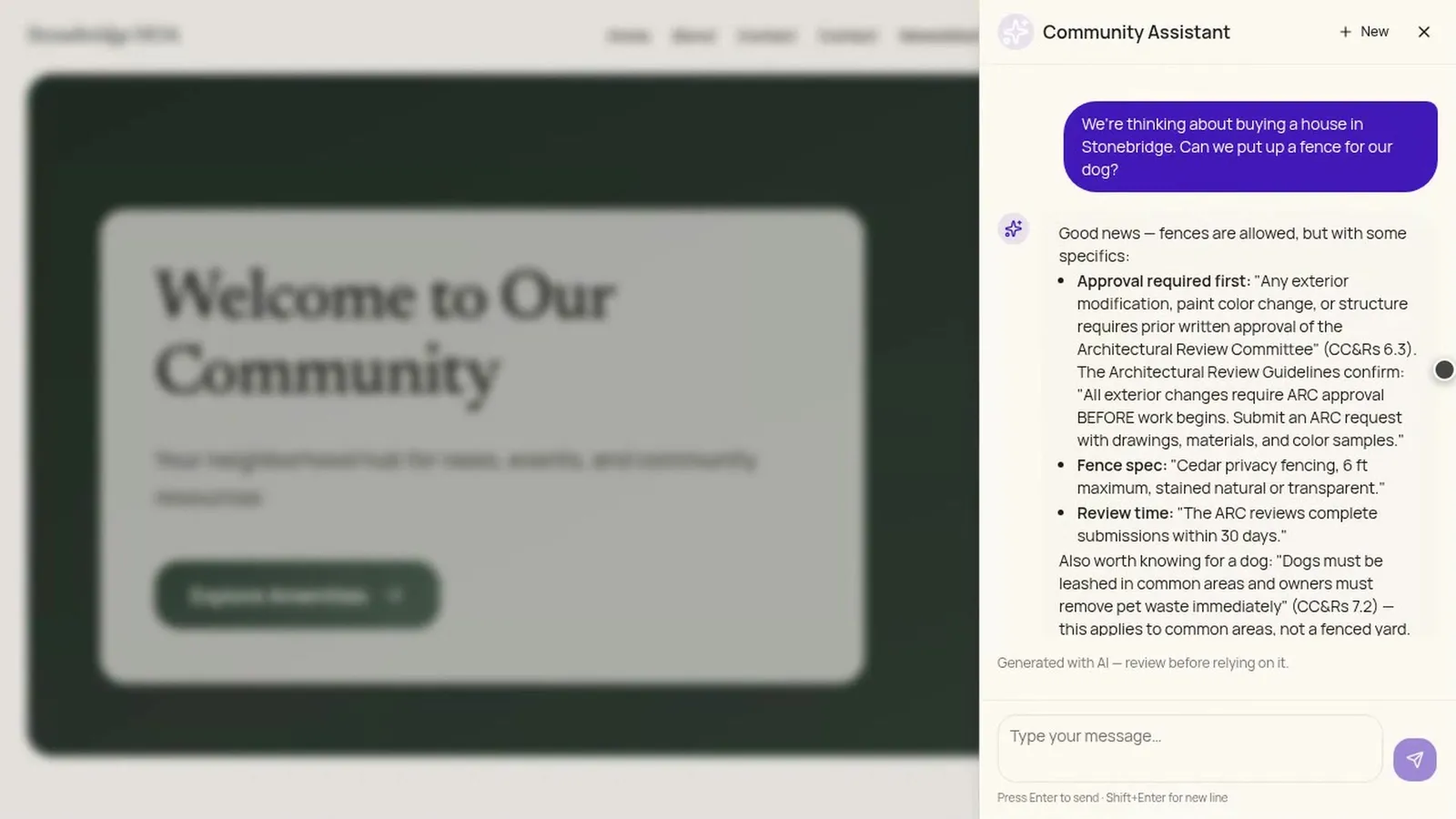
The next question is usually the fence. The answer gives cedar, six feet at most, and written approval from the architectural review committee before any work starts.
Then the buyer asks whether a lot of homeowners are behind on their dues. The count is in the board minutes, which are marked Residents only, so the assistant never searches them for a signed-out visitor. The buyer gets the dues schedule from the bylaws, which are marked Public.
A second fence question, how tall and what kind, gets an answer that names its source, the architectural review guidelines. That file sits on the community website's documents page for anyone to read, and its fence line reads the same as the answer.
The answers in the video come from what the board has published. They aren't a resale package, and they don't replace any document a buyer is owed before closing.
Filmed in the product on a demo community with sample documents.
Questions boards ask about this
Can a buyer ask without signing in?
Yes. In the video, the buyer is signed out on the community website, with the assistant in the corner of the page.
Which documents do the answers come from?
In the video, the covenants, the bylaws and the architectural review guidelines, all marked Public.
Can a visitor's question reach the board minutes?
The minutes are marked Residents only, and the assistant never searches them for a signed-out visitor.
Will the assistant tell a buyer how many homeowners are behind on dues?
Not in the video. On the demo community, the count is only in the minutes, which the assistant never searches for a signed-out visitor. The assistant gives the dues schedule from the bylaws.
How can a buyer check an answer?
The second fence answer in the video names its source, the architectural review guidelines, which anyone can open on the community website's documents page.
Is this a resale package?
No. The answers don't replace any document a buyer is owed before closing.
Related reading
- What Your HOA Must Provide When a Home Sells
- How does a board share community documents with residents and keep some for the board only?
See what HOA-OS covers for self-managed HOA boards at hoa-os.com/self-managed-hoa-software.