

A title company ordering a resale package wants the governing documents, how the association's money and reserves stand, and anything open against the lot. On many self-managed boards, someone gathers it from folders and email before closing.
Here the order is already in the board's queue. The board confirms the lot, picks the documents, and one button assembles the package.
What the video covers
- The order waiting on the Property Transfers page
- Confirming which lot the order is for
- Choosing the documents
- Assembling the package and its cover sheet
- What the cover sheet shows
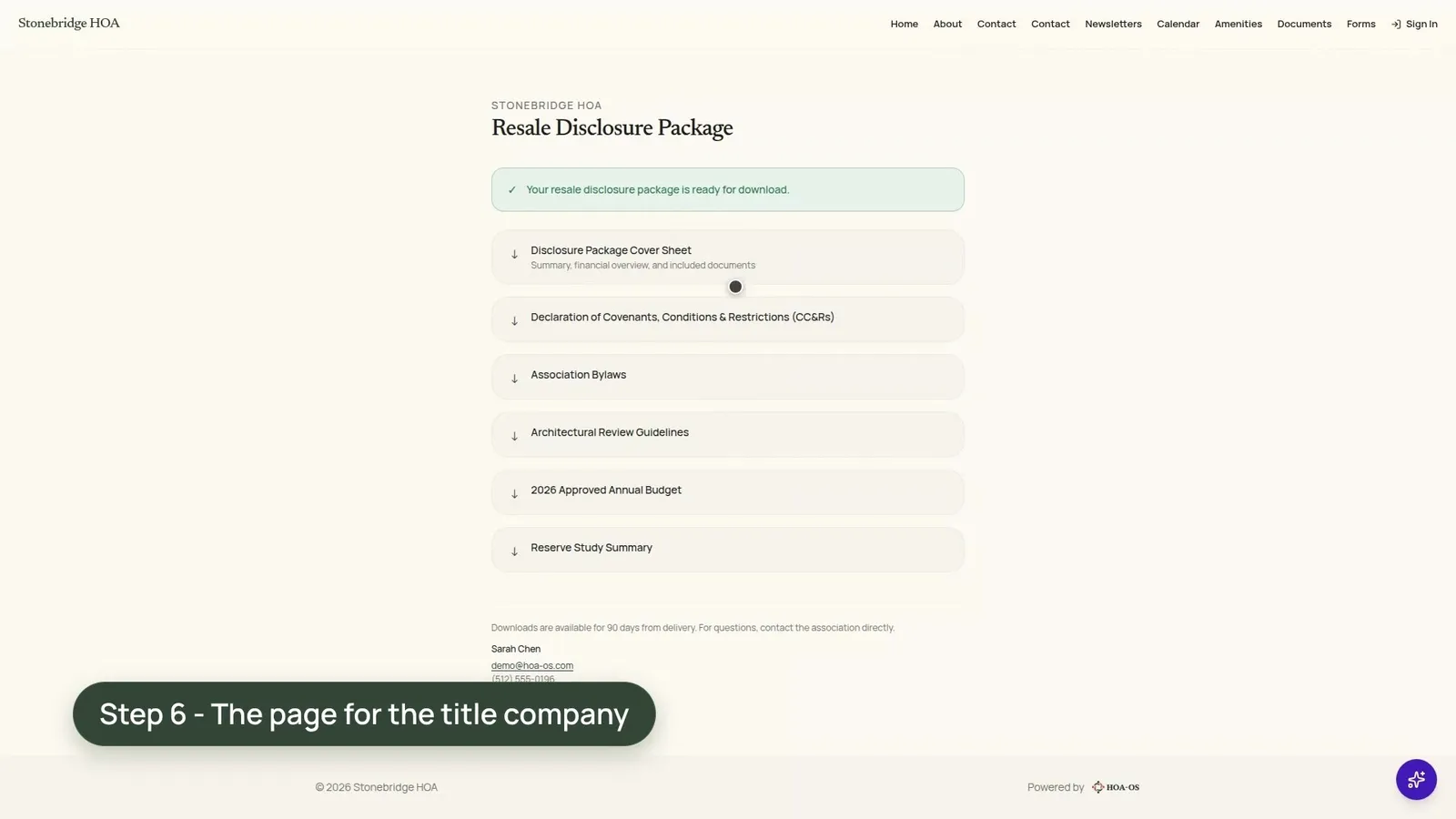
- The page for the title company
The full walkthrough, in words
The order sits on the Property Transfers page with its due date. It's from a title company for a home on Foxfire Cove, with the closing date, the buyer and the seller.
The page has matched the address to a lot, and the board confirms it before the order goes into review.
Then the board picks the documents. The checklist shows the community's own documents with four already ticked, the board's default set from the package settings. For this sale, the board adds the reserve study summary. Nothing is saved until the package is assembled.
One button assembles the package, with a cover sheet made for this sale. The cover names the property and the sale and lists each document the board chose. Below that it shows the association's income, expenses and reserve funding, read from the community's own books, then the lot's payoff figures, its open violations and the insurance details the board entered in its settings.
The page for the title company lists the cover sheet, then each document the board chose, each with its own download link.
Nothing in HOA-OS decides what goes in the package. The board ticks the documents, and the cover reads the books as they stand on the day it's assembled, so get both current first. Before you send a package, review it with your association's attorney.
Questions boards ask about this
Who decides which documents go in?
The board. Four are ticked by default from the package settings, and the board can add documents for each sale.
Where do the cover sheet's figures come from?
From the community's own books, as they stand on the day the package is assembled.
Should someone review the package before it goes out?
Yes. Review it with your association's attorney before you send it.
Related reading
See what HOA-OS covers for self-managed HOA boards at hoa-os.com/self-managed-hoa-software.