
Your community's roster lives in a spreadsheet, and it is almost never a spreadsheet your board wrote. It came from a previous board, a management company, or a title company export, with every column named whatever that system happened to call it. Getting it into HOA-OS is one upload. The importer reads your column names, works out which is which, and shows you its answer before anything is created.

The walkthrough starts where a lot of boards actually are: a community with thirty-six homes on the list and not one owner recorded against any of them. Every one of those names is sitting in a file somebody emailed the board months ago.
Upload the file exactly as it is
Nothing in that file was named with any particular software in mind, because it was not written for any particular software. So the import does not ask you to fix that first. There is nothing to rename, and no template to copy your rows into. You upload the file you were handed.
That matters more than it sounds. The usual reason a roster stays in an inbox for a year is that the first step looks like an afternoon of retyping columns into somebody's required format.
Check what it read before anything is created
The next screen is the whole reason the import works this way. It shows you what it worked out, and it says plainly that a model produced it, so you review it rather than trust it.
In the walkthrough, the address came from a column called Premises. That is a word from a deed, not from software, and nothing in the product's own vocabulary looks like it. The mapping still found it.
Then look at what it turned down. The one column in that file with the word address in its name is the mailing address, and for the first owner on the list, that is a post office box in Austin. A home's address and an owner's mailing address are two different things, and mixing them up puts owners on properties they do not own. The importer read the rows, not just the headings.
That file has no lot or unit column at all, and it does not need one. The address is the one field an import cannot run without. Everything else is optional.
The rest follows: the owner's name, the phone number, the email. Anything you disagree with, you change on that screen. Nothing has been created yet.
Every row, classified before it lands
Then the preview: thirty-five rows ready, three with no email on file, none skipped.
The three without an email still land. The home is recorded with its owner's name against it. You just cannot send that one a link yet, which is a different problem from the row being missing.
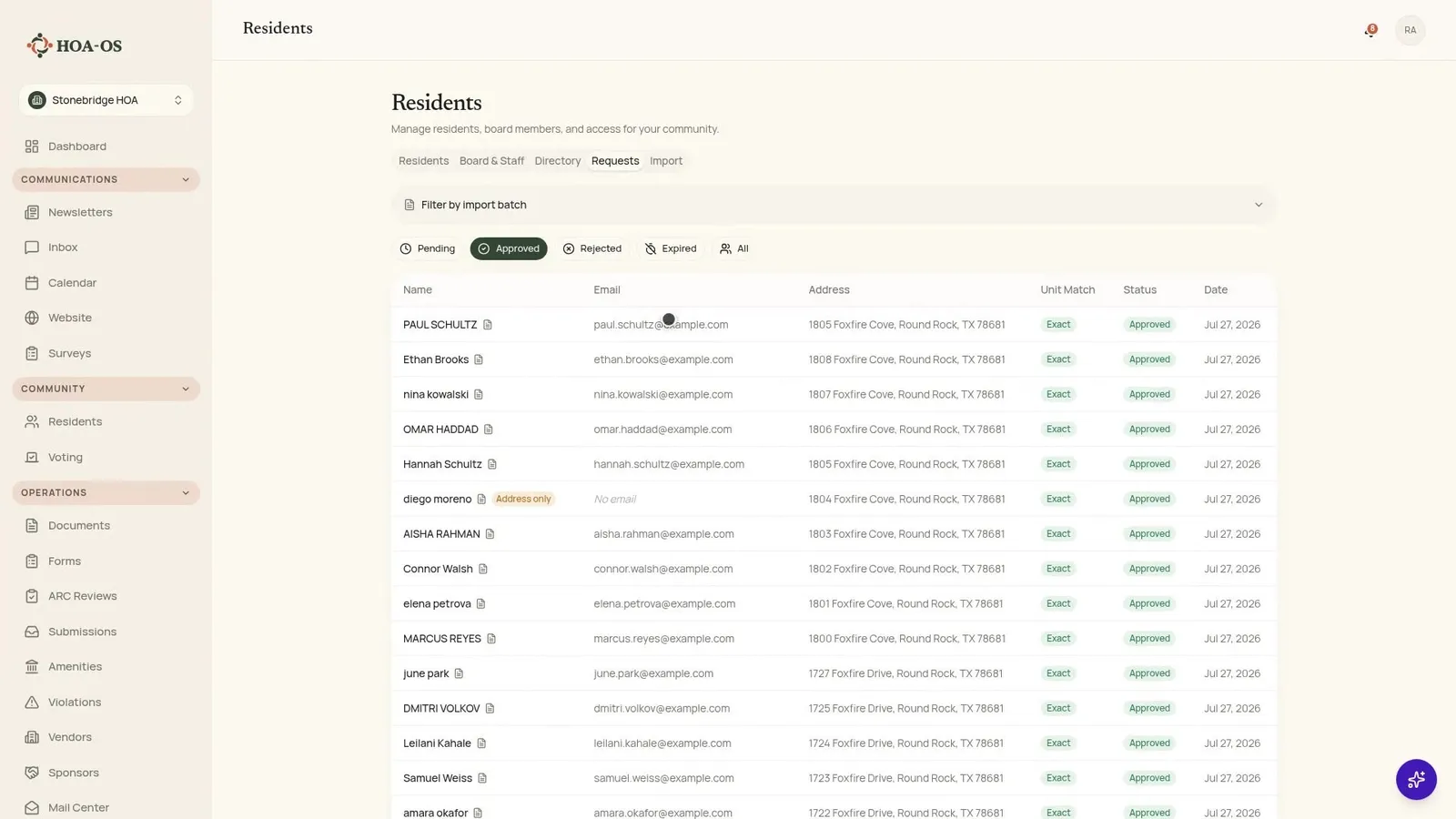
Before it runs, the import repeats back what these rows will become: pending requests, waiting for you.
Import, then approve
Thirty-eight owners across thirty-six homes, because two of those homes have both names on the deed. Nothing skipped, nothing in error. The list that was empty a few minutes earlier now has a name on every home.
The last decision is still yours. Approving the batch is what sends the invitations. That separation is deliberate: importing and inviting are two different acts, and you get to look at the result of the first before committing to the second.
If it turns out to be the wrong file, last year's export or another community entirely, you reject it and the whole batch comes back out. Nothing was sent.
Owners set their own passwords
Each owner gets a link, sets their own password, and confirms their own details. You never hold anyone's login.
What the import created are invitations, not accounts. Each one waits until its owner follows the link and joins. An account does not exist until they have actually done that, which is the answer to the question boards ask about holding somebody else's credentials: you are not holding any.
Running the same file twice
One more thing boards ask about, usually after a near miss: what happens when somebody uploads the same file a second time.
Nothing doubles. Every owner already on the roster is recognized and passed over. Thirty-eight rows in, none created.
Frequently asked questions
Do I have to clean up the spreadsheet first? No. Upload it as it is. The importer reads your column names and shows you what it decided before anything is created.
What if my columns are named something unusual? That is the normal case. In the walkthrough, the property address came from a column called Premises. You review the mapping on screen and change anything it got wrong.
Which column is required? The address. It is the one field the import cannot run without. Name, email, phone and the rest are optional.
What happens to rows with no email address? They still import. The home is recorded with the owner's name against it, and you can add an email later. You just cannot send that owner an invitation until you do.
Do I need a lot or unit number column? No. A file with no lot or unit column imports fine.
When do the invitations go out? When you approve the batch, not when you import it. Import first, look at the result, then approve.
What if I imported the wrong file? Reject the batch and the whole thing comes back out. If you had not approved it yet, nothing was sent.
What if I upload the same file twice? Nothing doubles. Owners already on the roster are recognized and passed over.
Do I set up passwords for residents? No. Each owner follows their link, sets their own password, and confirms their own details.
The roster becomes the community's own record
That is the import: upload the file you already have, check what it read, approve. The roster stops being a spreadsheet somebody forwards around and starts being the community's own record, on the community's own system.
If your board is looking at that file right now, take a look at HOA-OS or get in touch with a question about your own roster file.